Manage HINATA Card Reader
If you need to change card reader settings, check device status, or update firmware, start here.
Most card reader management operations will be completed via HINATA Go. HINATA Go is a multi-platform NFC card tool that supports card information viewing and card reader emulation; when it runs on platforms that support connecting to a physical card reader, it can directly connect to the HINATA reader to change device settings.
On Windows, card reader settings can still be modified through the HINATA Go web version; however, firmware updates require the use of HINATA Client.
What You Can Do
- Check card reader connection status and firmware version
- Change card reader settings, such as working mode, card reading limits, etc.
- Update card reader firmware for new features and stability improvements
- Check if the card reader is working properly before connecting to a game or third-party ecosystem
Which Tool Should You Use?
If you just want to modify the card reader settings or check the device status, please use the HINATA Go Web Version or HINATA Go App.
- Windows / macOS / Linux / ChromeOS can use the HINATA Go web version
- Android can use the HINATA Go App
If you want to update the firmware, you need to choose the method based on your current device:
- Android / macOS / Linux / ChromeOS can update using HINATA Go
- Windows needs to update using HINATA Client
If you are just using the card reader to play games, you usually do not need to open these tools every time; you only need to open them during first use, when changing settings, updating firmware, or troubleshooting issues.
Connect to Card Reader using HINATA Go



Connect the Card Reader
Use a data cable to connect your device to the HINATA card reader so that HINATA Go can access it.
Enter Card Reader Details
After connecting, tap this bar at the bottom of the screen to enter the details page:
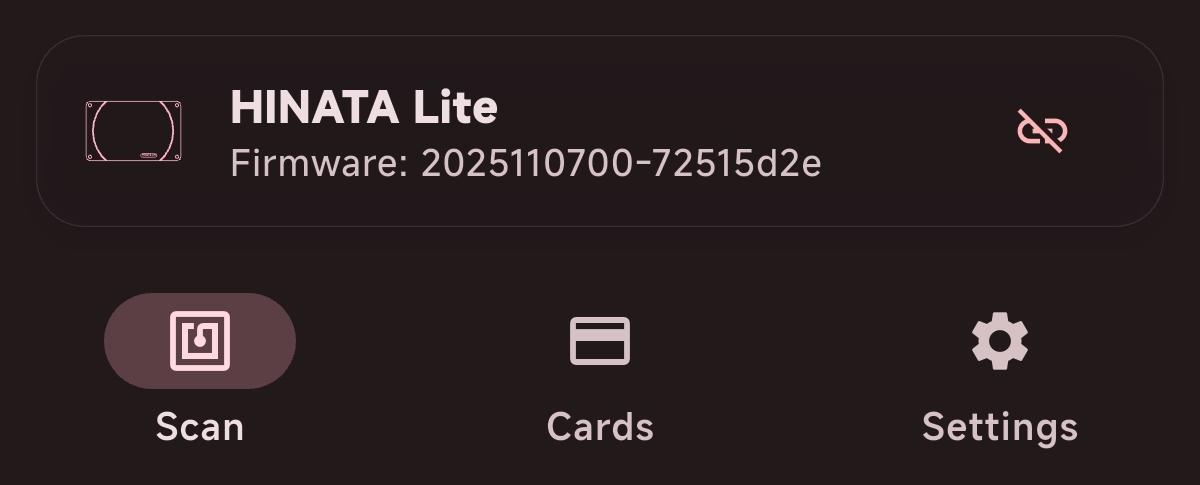
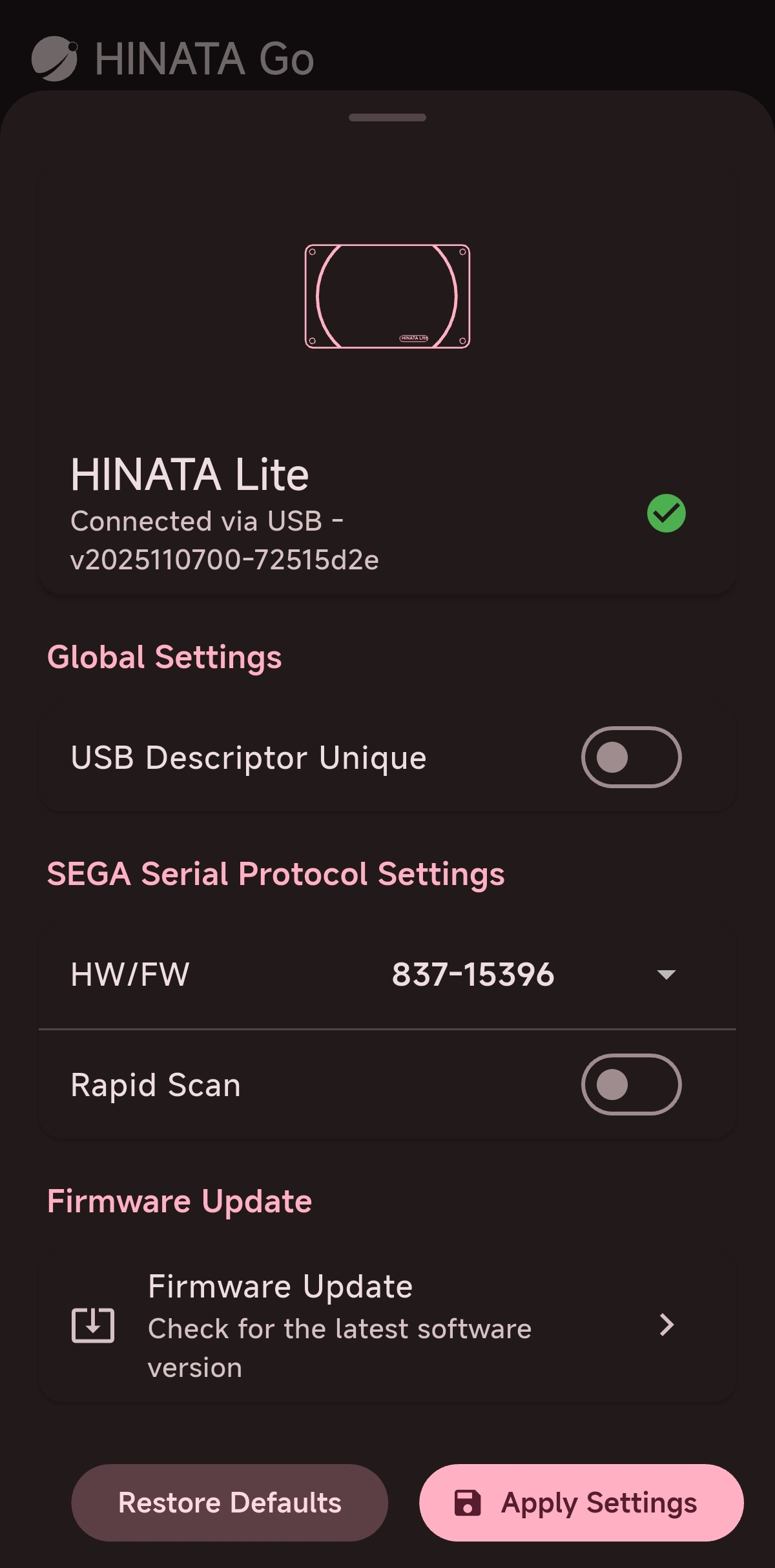
The details page is shown below. You can change settings, update firmware, or check the HINATA card reader status here.
Update Firmware using HINATA Client
If you are using Windows, please refer to the Firmware Update page to update the card reader firmware using HINATA Client.